A quick tour
See Reqsheet in action
Reqsheet keeps lesson planning, preparation and timetable management in one clear shared view.
Teacher
Plan lessons without the paperwork
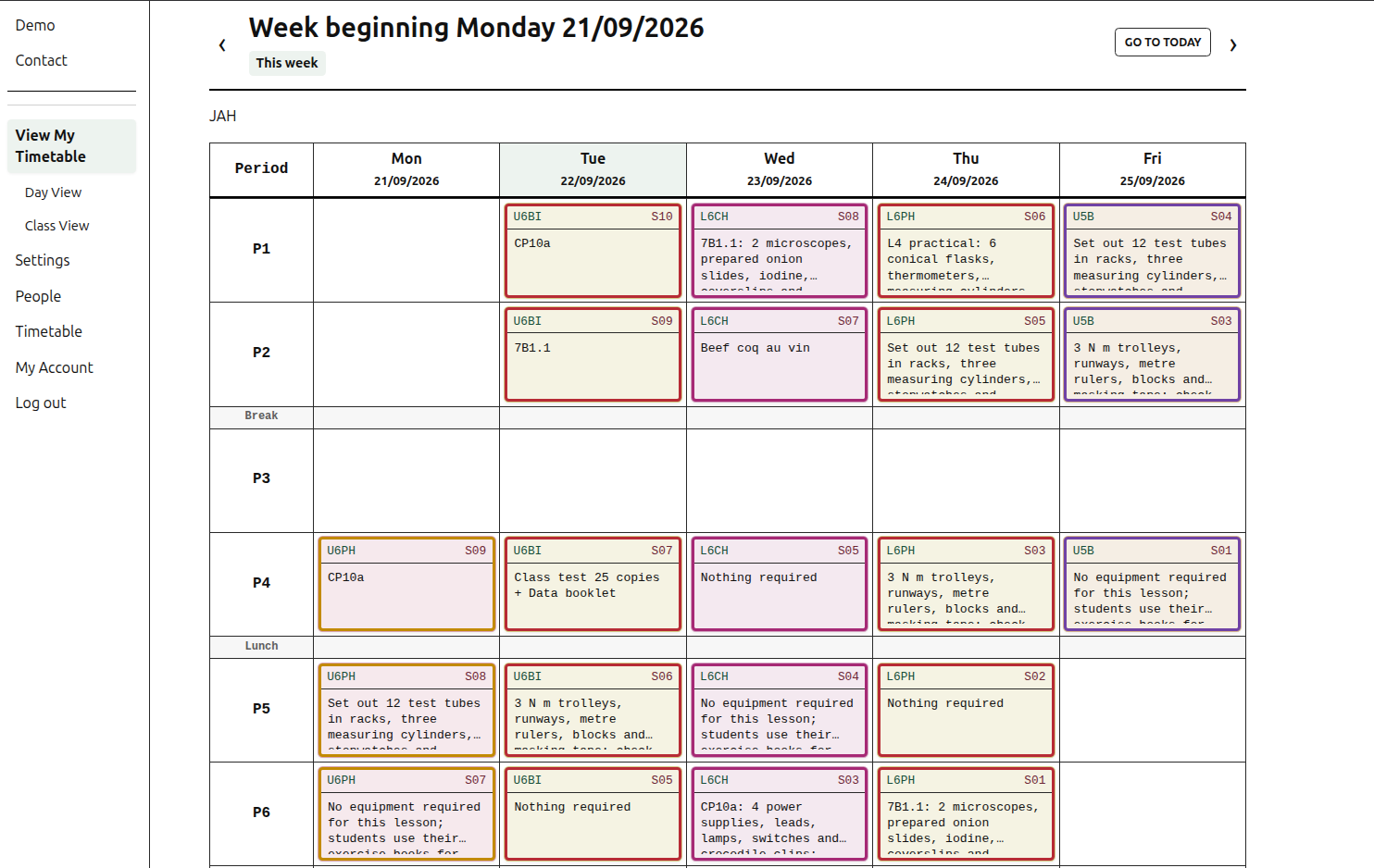
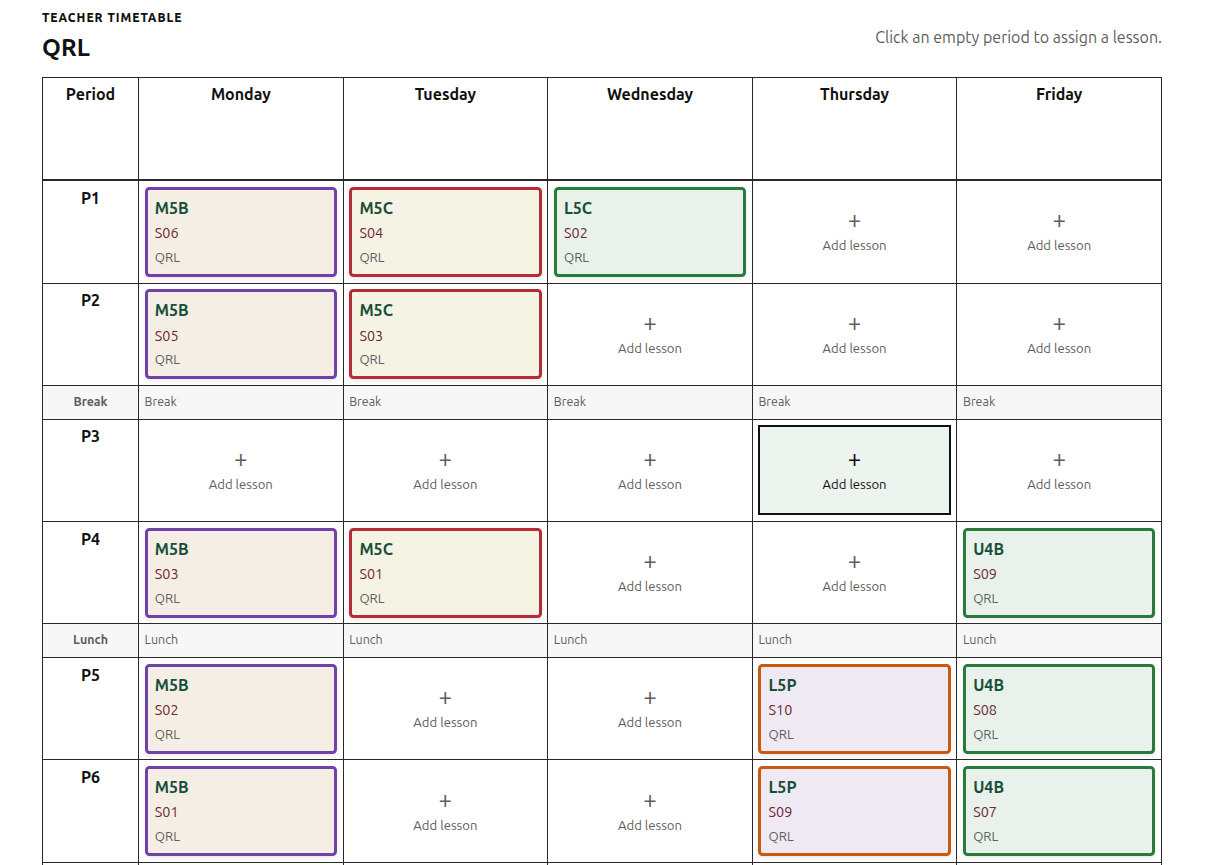
Your teaching week at a glance
See your teaching week, identify lessons and update requirements directly from the timetable.
Click directly into any lesson cell to open the lesson editor, then update requisitions, lesson outlines, or risk assessments without leaving the week view. Fast, simple and clear.
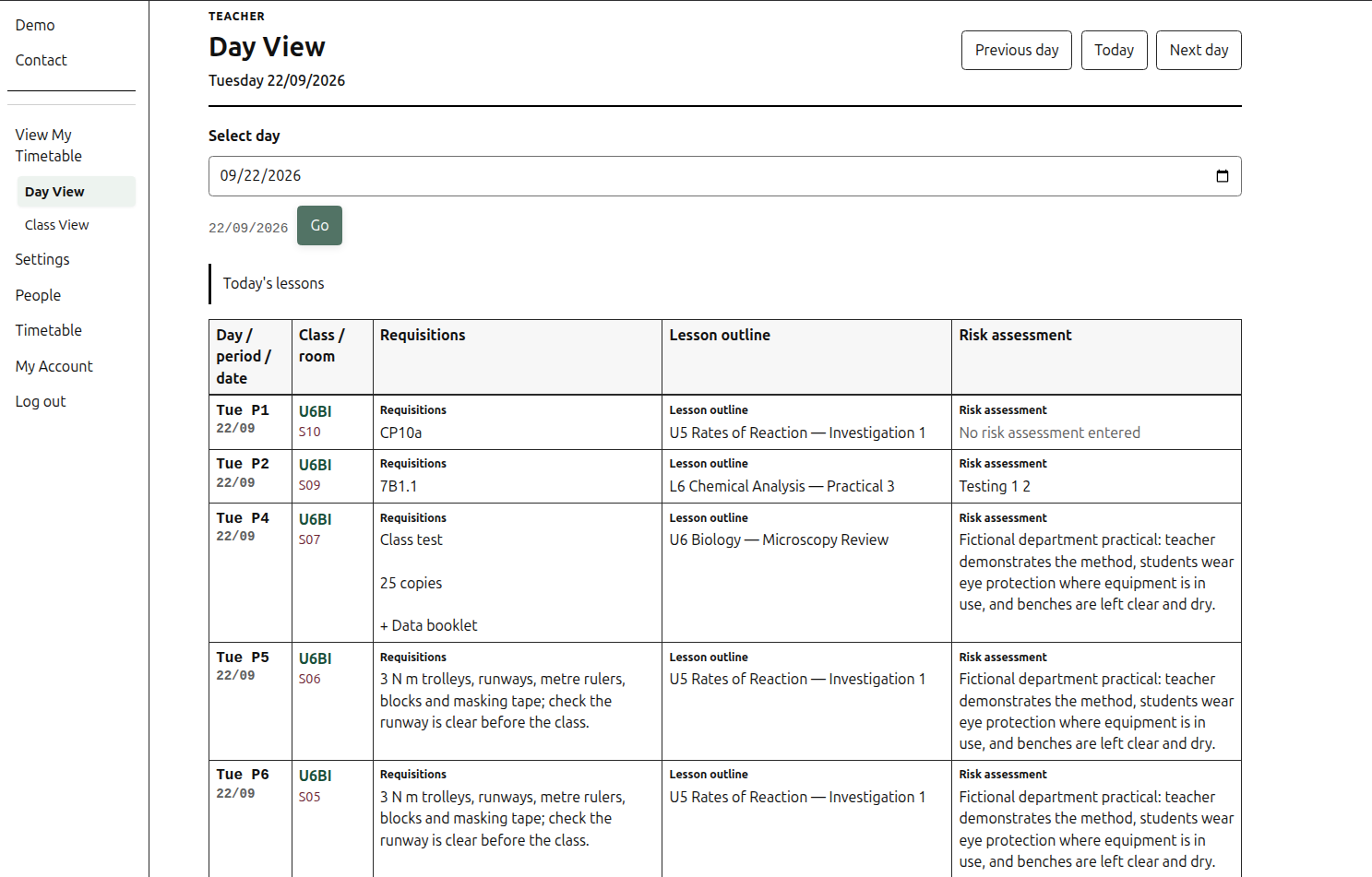
Everything you need for the day
Day View gathers each lesson's requisitions, outline and risk assessment for a chosen date.
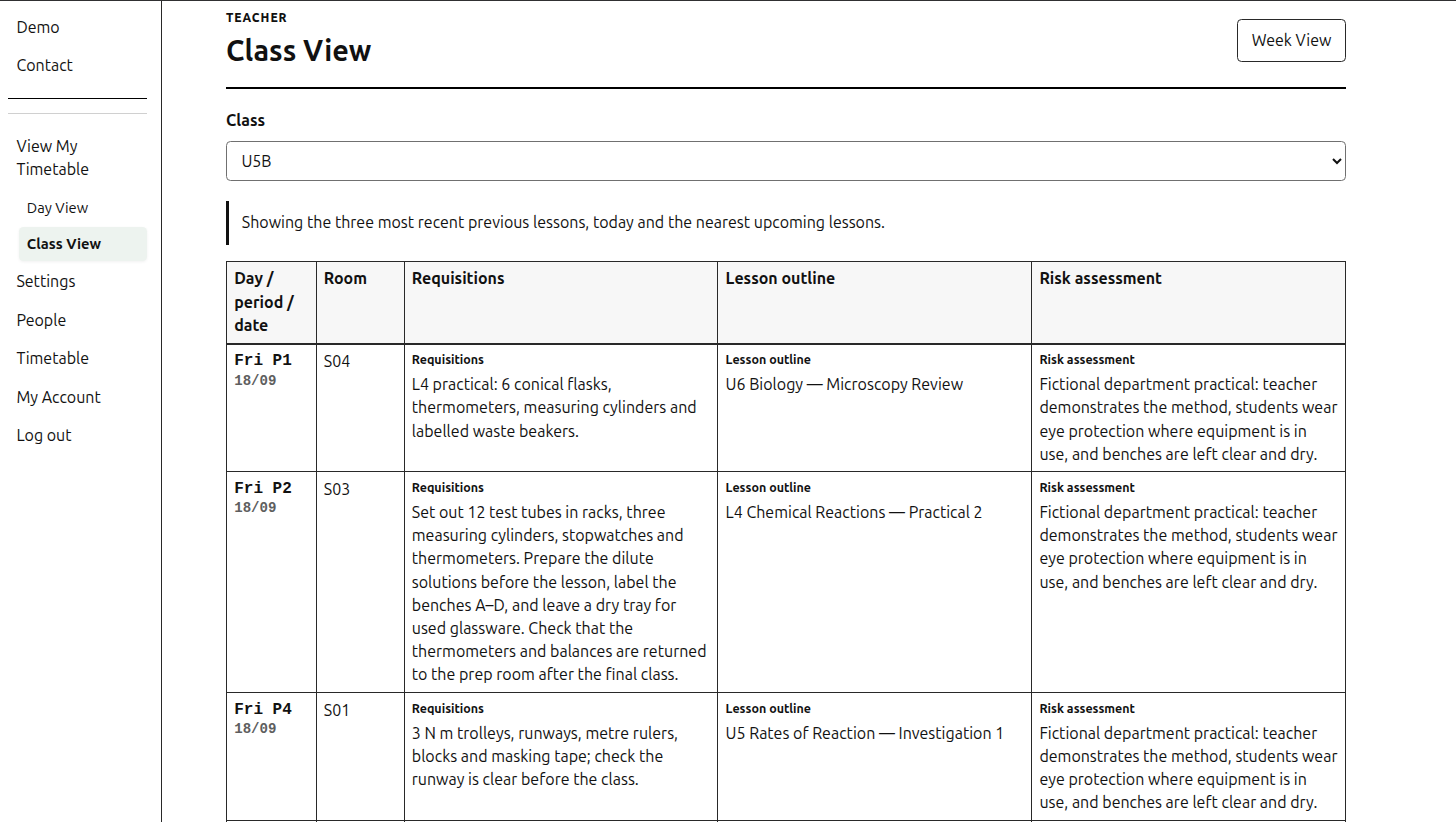
Plan ahead and look back
Class View brings recent lessons and the nearest upcoming lessons together for a selected class.
Technician
See what needs preparing, where and when
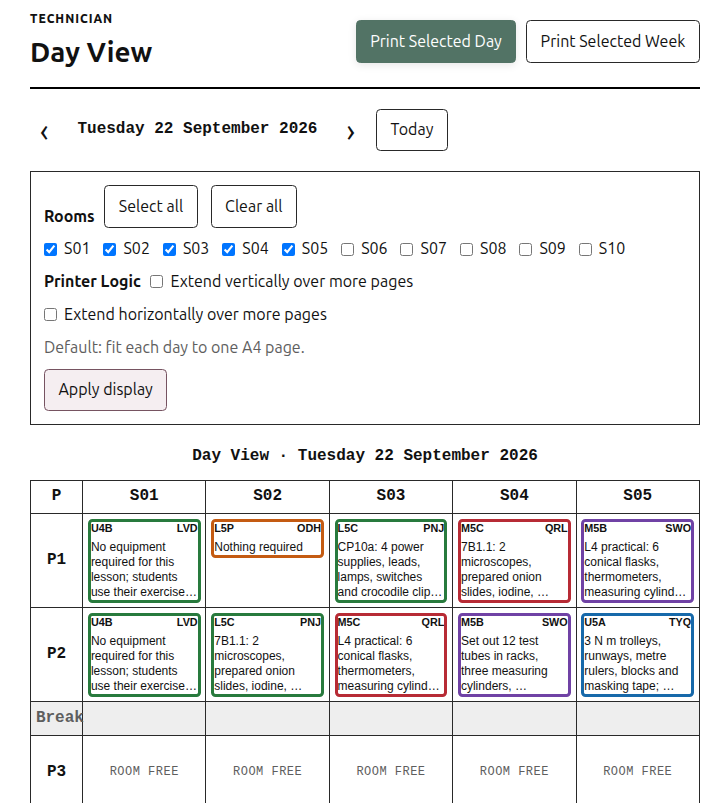
A practical preparation view
The Technician Day View brings requisitions together by room and teaching period, so the department can work from one daily list.
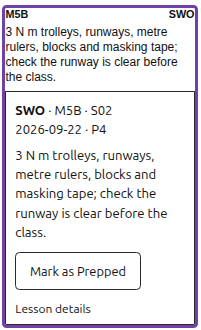
Open lesson details
Select a lesson to read its requirements and use the existing Mark as Prepped control when preparation is complete.
Choose the rooms you need
Select the usual rooms, or adjust the display to include the wider department when required.
Printing: Technician views provide daily and weekly print actions for practical lesson preparation.
Administrator
Set up once, then keep the timetable current
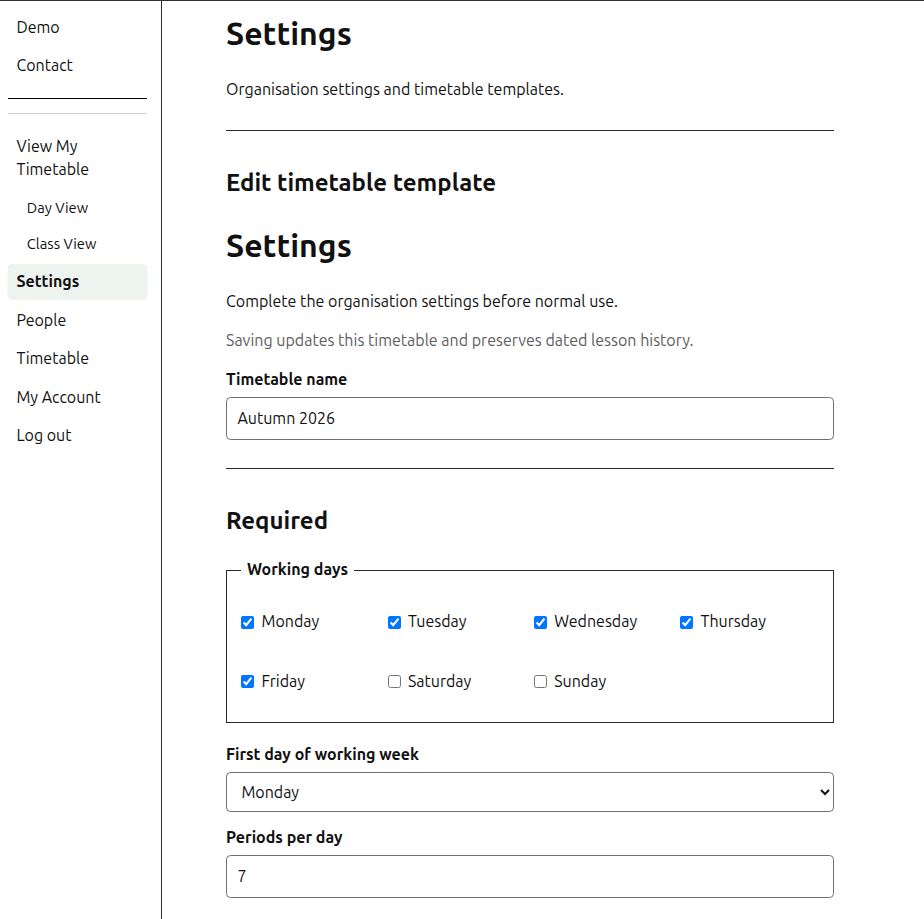
Configure the timetable template
Choose working days and teaching periods, then save the template that matches your department.
- Configure the timetable template, including working days and teaching periods.
- Download the Reqsheet CSV template.
- Complete the CSV using the school’s timetable information.
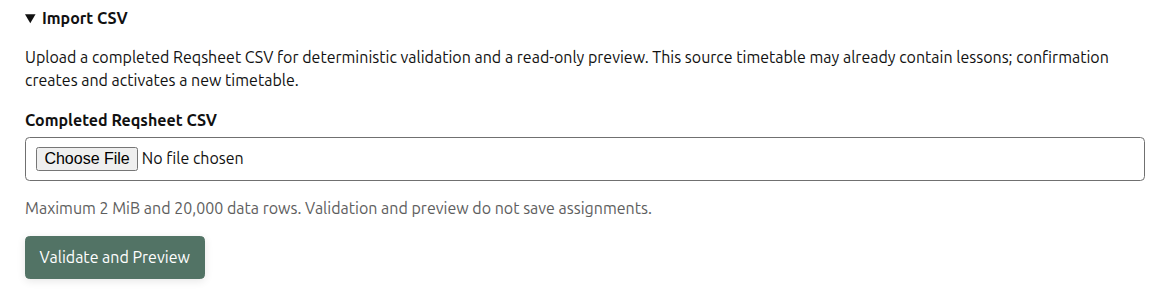
- Upload the completed CSV to Reqsheet.
- Review and edit the timetable in the application.
The CSV can be populated from existing school timetable data. Reqsheet does not provide direct MIS integration.
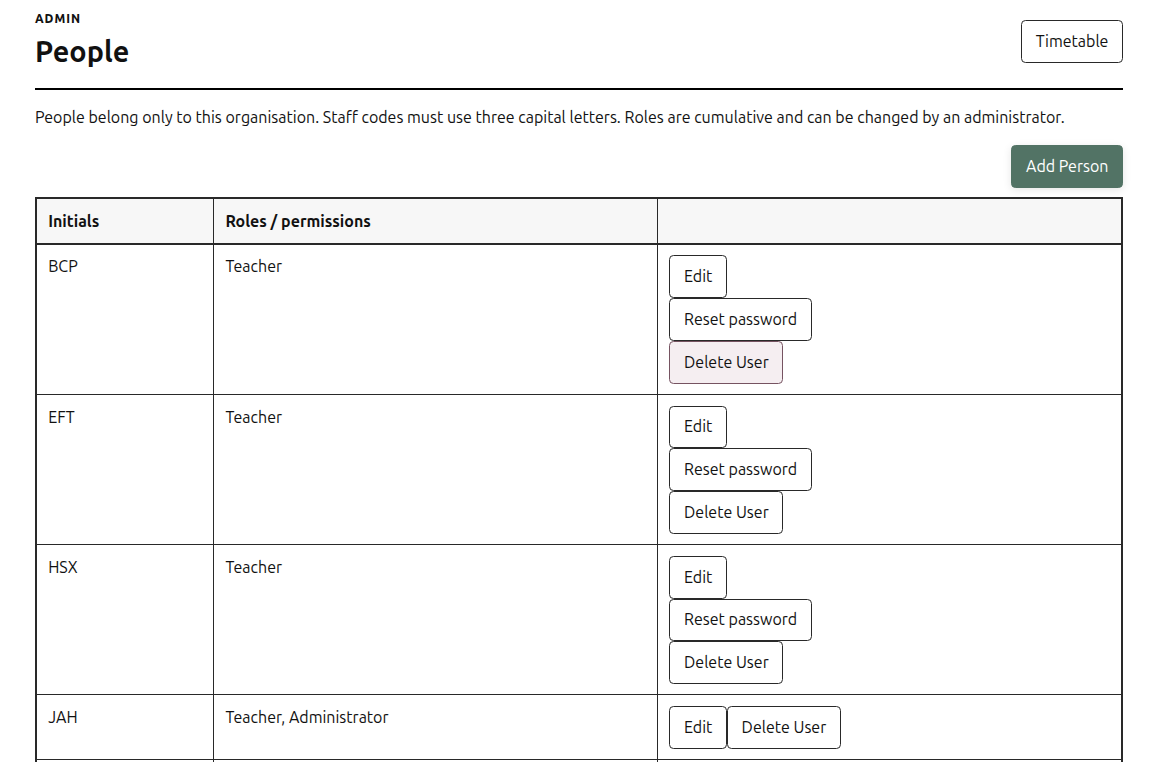
Add and manage teachers, technicians, and admins with ease.
People keeps staff roles and initials organised for the whole organisation.